Meeting notes that stay on your Mac.
A menu bar app that records your calls and writes the notes, without sending anything to the cloud.
I record a lot of work calls, and I never liked that the tools for it (Otter, Fireflies, Granola and the rest) upload the audio to someone else's servers. For me that is a non-starter. So I built one that runs entirely on the Mac, and kept going with it. It is free and the source is on GitHub.
What it does
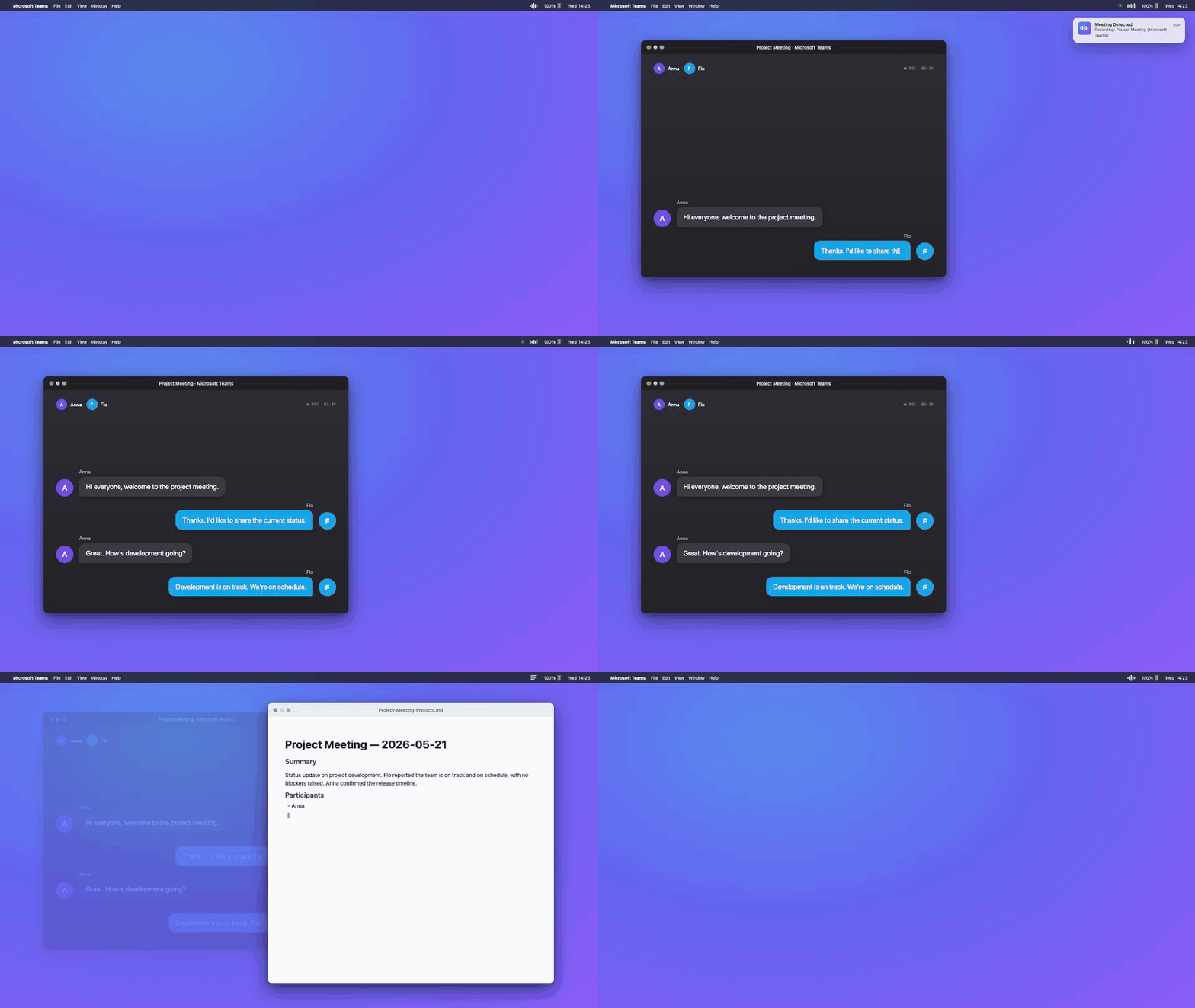
It sits in the menu bar. When it notices a Teams, Zoom or Webex window it starts recording, and when the call ends it transcribes the audio, separates the speakers, and writes a Markdown summary with the decisions and action items. None of the audio leaves your machine.
- Two separate tracks. It captures the app audio and your microphone separately (the app audio through the CATapDescription API that shipped with macOS 14.2). Diarizing them apart instead of one mixed track keeps the remote side and your own voice from bleeding together.
- Transcription on the Neural Engine. Pick WhisperKit (99 languages) or Parakeet (smaller and faster, EU languages). All on device.
- Speaker diarization with FluidAudio. Also on device, no Hugging Face token. It remembers voices across meetings, so the same person gets the same label next time.
- Your own model for the summary. The summary step goes through the Claude CLI or any OpenAI-compatible endpoint, so you can point it at a local Ollama or LM Studio model and keep the whole thing offline end to end.
Here is the kind of file it writes. The meeting below is made up, just to show the shape:
Summary
The team went through the beta feedback, agreed to ship the onboarding rewrite in the next release, and moved the analytics work to the following sprint.
Decisions
- Ship the onboarding rewrite in 0.7.
- Hold the analytics work until after the beta wrap-up.
Action items
- Maria: finalize the onboarding copy by Thursday.
- Tom: cut the 0.7 release branch on Monday.
- Priya: schedule the beta debrief.
Transcript excerpt
Maria: Let's start with the beta feedback before we get into planning.
Tom: Most of the drop-off is on the second onboarding screen.
Priya: Right, the rewrite should take care of that.
…the full, time-stamped transcript continues below the summary.
Install
brew tap pasrom/meeting-transcriber
brew install --cask meeting-transcriber
Homebrew 6.0+ may flag the third-party tap as untrusted. If so, run brew trust --tap pasrom/meeting-transcriber before installing.
Requires macOS 14.2 or later on Apple Silicon (M1 or newer). The transcription runs on the Neural Engine, which Intel Macs do not have.
Privacy
There is no account, no analytics, and no server behind this, because there is no server. Audio, transcripts and summaries stay on your Mac. The only network traffic is the model download on first run, an optional check for updates against GitHub, and the summary step if you deliberately point it at a cloud model instead of a local one. The full version is on the privacy page.
Honest about the rough edges
- Meeting detection reads window titles, so it needs Screen Recording permission.
- The Whisper model is about 1 GB on first download. Parakeet is much smaller.
- Diarization on noisy, many-speaker calls is still hit and miss.
- It is a solo side project, so the rough edges are mine.
Source
Everything is on GitHub under the MIT license: github.com/pasrom/meeting-transcriber. Issues and pull requests are welcome.
Built and maintained by Roman P. You can reach me on LinkedIn or by email at meetingtranscriber@proton.me.